Contacts
The contact card and list: multiple emails and phones, channel conversations, editing, and bulk actions.
A contact is a person you talk to — with their identifiers, companies, deals, and full conversation history. The Contacts section describes itself precisely: "People you've engaged with — auto-deduplicated by email and phone."
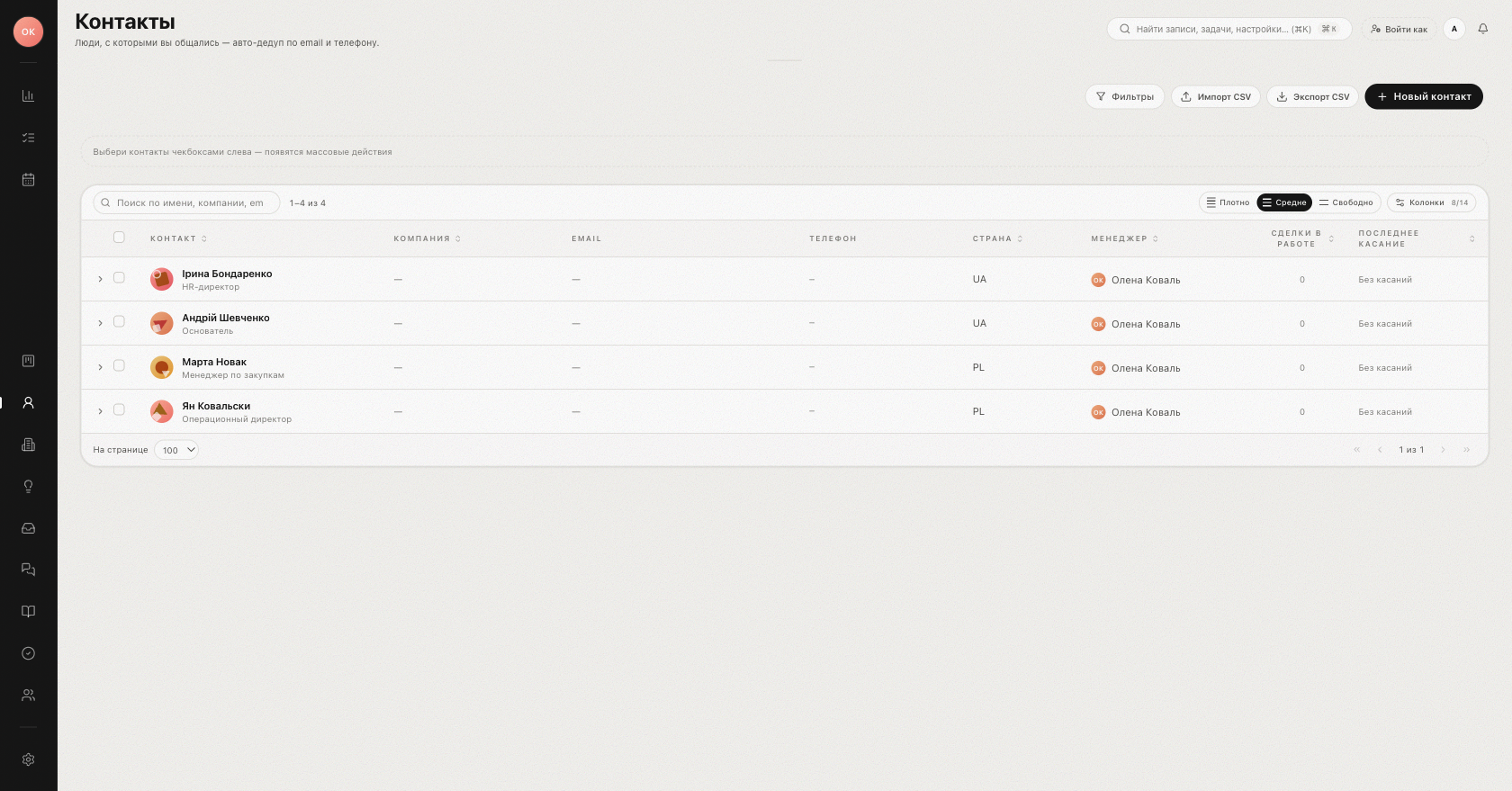
The contacts list
The table shows configurable columns — Contact, Company, Email, Phone, Country, Manager, Open deals, Won, Pipeline value, Last touch, Added and more. Use the Columns menu to choose which are visible, pick a row density (Compact / Comfortable / Spacious), and search with "Search by name, company, email…". The Filters button narrows the list by contact properties.
Rows expand in place to preview open deals and the linked company. Selecting rows with checkboxes opens bulk actions: Assign manager (or Unassign), add/remove Tags, Note to all, Archive, and Delete forever.
Multiple emails and phones
A contact can hold any number of identifiers. On the contact card, every Email and Phone lives inside the Personal section of the sidebar and is edited inline right there. One value of each type is marked "primary" — that is what lists and integrations use first. Via the actions menu on each row you can Edit, Make primary, or Delete a value, and the Add button appends a new email or phone.
Identifiers matter beyond the card: automatic deduplication and lead routing look contacts up by email and phone, so keeping them complete keeps your database clean — see Merging duplicates.
Conversations and channels
The contact card timeline gathers emails and chat messages from connected channels into one feed, next to notes and activities. Where a channel provides a profile (for example a messenger avatar), it appears on the contact.
Everything else on the card
- Companies — current and former employers ("Current" / "Former" chips); see Companies.
- KPI tiles — Open deals, Won deals, Last activity, and the Touches 30d communications counter.
- Notes and tasks attached to the contact; the sidebar fields are edited inline, right on the card.
- Manager — the contact's owner; new deals from this person route to their owner first.
Tip: before creating a contact manually, search by email or phone — the system deduplicates automatically, and an existing card may already hold the history you need.
Related: Trash and restore.
Was this article helpful?